Slow Jigsaw
A jigsaw that takes its time, with a daily picture. Choose your piece count.
About this game
- Players
- 1
- Size
- 12 to 150 pieces
- Controls
- Touch, Mouse, Keyboard
- Daily challenge
- Yes
- Languages
- 20
What it is
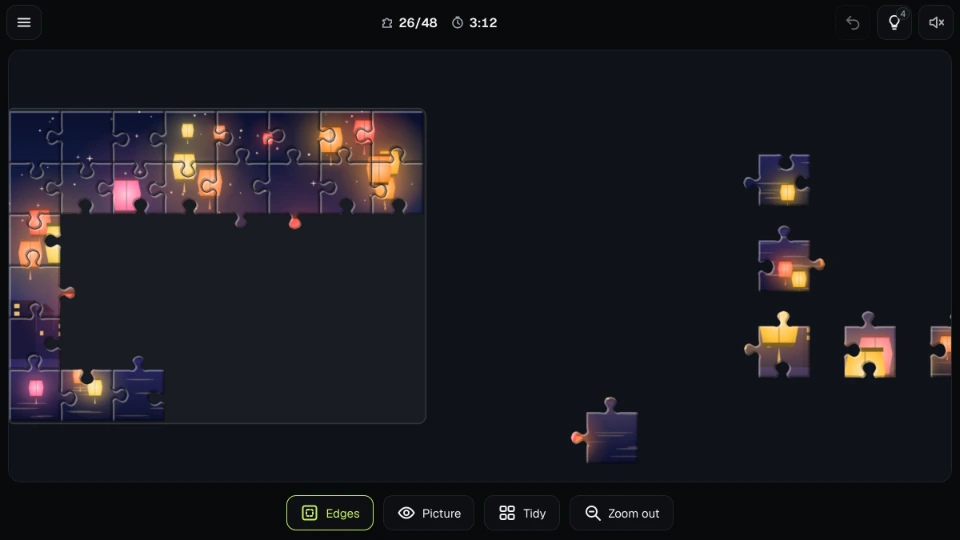
Slow Jigsaw is a jigsaw puzzle you can pick up and put down. Each picture arrives cut into pieces and scattered around an empty frame. You drag the pieces together until the picture is whole again. There is no countdown and no sign-up, and you can leave a puzzle half done and come back to it.
Original pictures made for Mobixify.
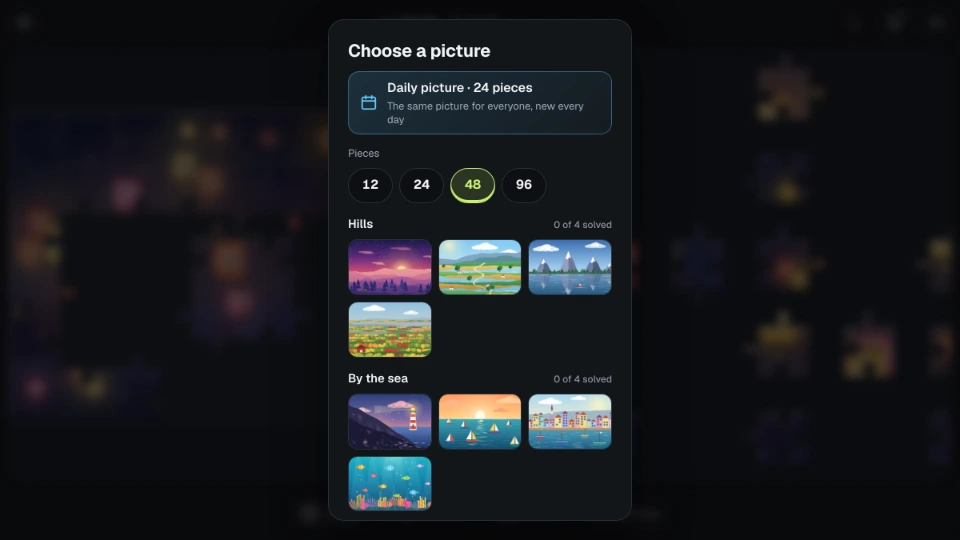
You choose how big a puzzle you want: 12, 24, 48 or 96 pieces, and 150 on a screen large enough to hold them comfortably. The pictures come in six groups (hills, the seaside, after dark, gardens, towns and patterns), and every picture can be cut at any of those sizes. Each size keeps its own progress, so a quick 12-piece picture on the bus and a 96-piece one at home can both be waiting for you.
Pieces are cut with the usual rounded tabs and blanks, and the cut is different for every puzzle. A piece fits only where it belongs. Pieces that fit one another click together and move as one group.
There is also a daily picture. Everyone gets the same picture, cut the same way, on the same day (the day changes at midnight UTC), and the number of pieces follows the weekday: 24 on Monday and Wednesday, 48 on Tuesday, Thursday and Friday, and 96 on Saturday and Sunday. Finish it on consecutive days to build a streak.
How to play
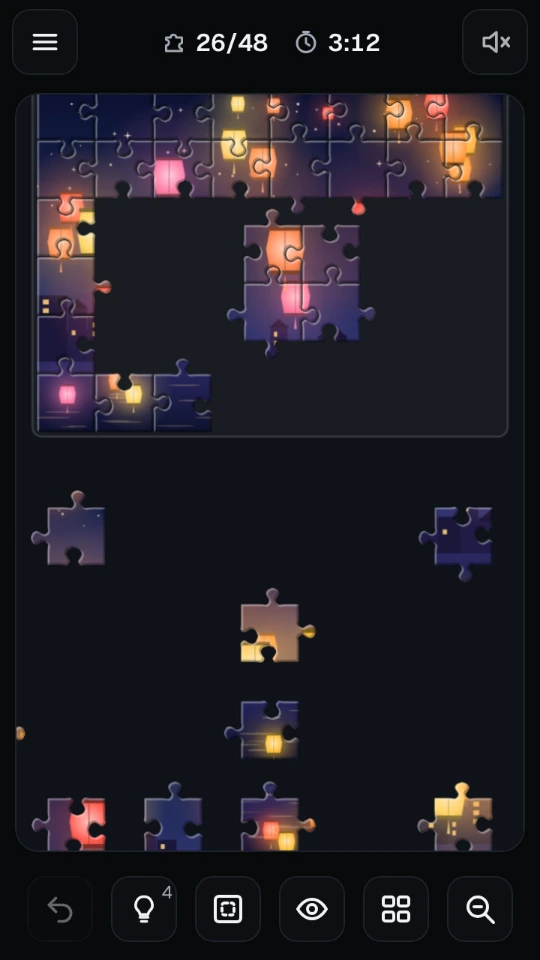
Drag a piece with your finger or the mouse. Let go close to the place where it fits and it clicks in. When a piece is close to a place where it fits, it is drawn gently towards it and a bright halo shows that letting go now will join it. A piece that lands in its right place in the frame stays there, so you cannot knock it out again. Pieces that join each other form a group, and a group moves as one.
Move around the table with a drag on the empty cloth. Pinch with two fingers, or use the mouse wheel (or the plus and minus buttons), to zoom. Zoom out to see everything, and zoom in to place small pieces with care. While your fingers are on the table, they move and zoom the table and not the page.
Buttons sit along the bottom of the screen (at the side, in a short landscape window):
- Edges shows only the border pieces among the loose ones, so you can build the frame first. It switches itself off once the last loose border piece is placed.
- Picture shows a faint copy of the finished picture behind the pieces.
- Tidy lays the loose pieces out in rows, border pieces first, so that none lie on top of each other.
- Undo takes back your last move.
- Hint shows where one piece goes.
- Zoom steps the view in and out.
Hint uses the piece you last touched. If you have not touched one, it picks a loose piece that would join what is already in place. It then moves the view so that the piece and its place can both be seen, and marks the place with a halo. You start with a few hints (two in a 12-piece puzzle, up to six in a 150-piece one). After those, the next one comes a minute later, and the game tells you how long is left.
On a computer the keyboard plays the whole game. The arrow keys choose a piece, Space picks it up, the arrow keys move it (Shift moves it a bigger step), and Space puts it down. A piece that would fit where it is held says so. Escape sets it back. N chooses the next loose piece, H asks for a hint, U undoes, T tidies, E switches Edges, P switches Picture, and the plus and minus keys zoom. Announcements for screen readers say how many pieces are in place, which piece you hold and where it belongs (as a row and a column).
Settings has three options. Larger pieces opens the table with bigger pieces and keeps the view closer. Easier snapping lets a piece fit from a little farther away. Vibration can be turned off on a phone. If you have asked your device for less motion, the finishing animation is quiet and short.
The clock runs only while you are playing, and stops when you leave the page or open a menu. Your puzzle is saved after every move, with the position of every piece and group, so you can close the page and carry on. A finished picture shows your time. The best time for each size is taken from pictures finished without a hint, and Statistics shows pictures solved, best and average time for each size, and your daily streak. Everything is stored on your device.
Tips
- Start with the corners, then the rest of the border. The frame gives every other piece a place to be measured against. Edges hides everything else while you do it.
- Look at the shape as well as the picture. A piece with two tabs and a piece with two blanks go to different places, and the shapes narrow things down when the colours do not.
- Sort loose pieces by region of the picture: sky, water, roofs, the darkest corner. Drop the pieces of one region near each other. Tidy helps when the table gets crowded.
- Join pieces into small groups before you place them. A group of four finds its place more easily than four single pieces, and it is harder to lose.
- Keep Picture on for the first few puzzles. Turn it off when you want a bigger challenge.
- If a piece is not going anywhere, leave it for a while and work on another part. A fresh look helps.
- Start with 24 or 48 pieces if the table feels busy on a small phone. You can open the same picture again at a bigger size later.
Questions people ask
Do the pieces rotate? No. Every piece is already the right way up, so you only have to find where it goes.
Can I use the same picture at a different size? Yes. Choose the picture, then the number of pieces. Each size keeps its own saved puzzle and its own statistics.
Is the daily picture the same for everyone? Yes. It is the same picture, cut the same way, for everyone on the same UTC day, and a new one comes the next day. The number of pieces follows the weekday.
Why is 150 pieces not offered on my phone? At that size the pieces are very small on a small screen. The biggest puzzle appears when the screen is large enough to place them comfortably, for example on a tablet or a computer.
What happens if I leave in the middle of a puzzle? It is saved after every move. When you come back, every piece and every group is where you left it.
Does using a hint change my best time? A picture finished with a hint still counts as solved, but it does not set a best time for its size.
Do I need an account? No. Your puzzles in progress, statistics and settings are saved on your device.
Can I play offline? Once the game has loaded, it needs no network.
Screenshots