Nonogram
Fill the grid by logic to reveal a picture. Hints explain, and there is a daily one.
About this game
- Players
- 1
- Size
- Grids from 5×5 to 15×15
- Controls
- Touch, Mouse, Keyboard
- Daily challenge
- Yes
- Languages
- 20
What it is
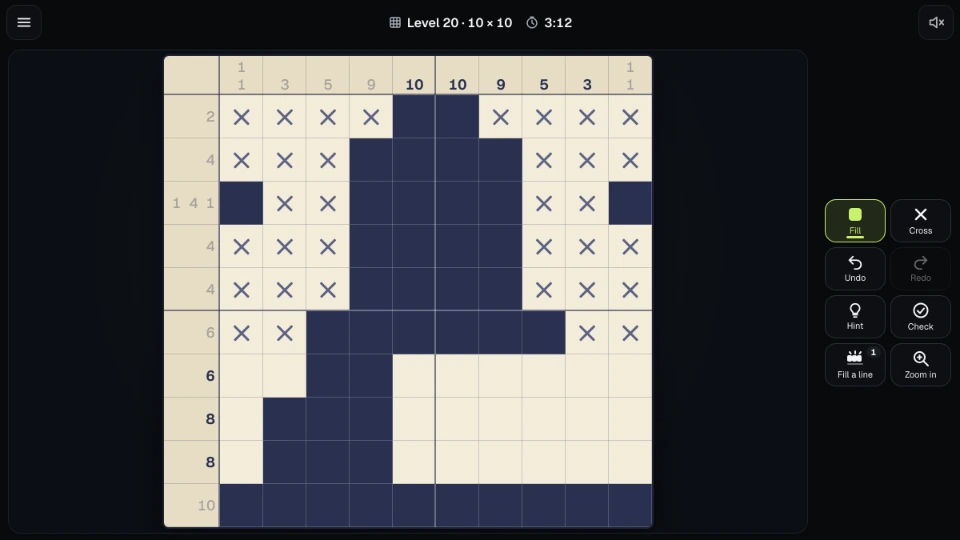
A nonogram, also known as hanjie, is a picture hidden in a grid. Numbers beside every row and above every column tell you how many filled squares in a row that line holds, and in what order. A clue of 3 1 means a run of three filled squares, then at least one empty square, then a single filled one. You work out which squares are filled, and when the last one is in, the picture shows up in colour.
Every picture can be solved with logic alone. No guessing needed. The pictures are original, made for Mobixify.
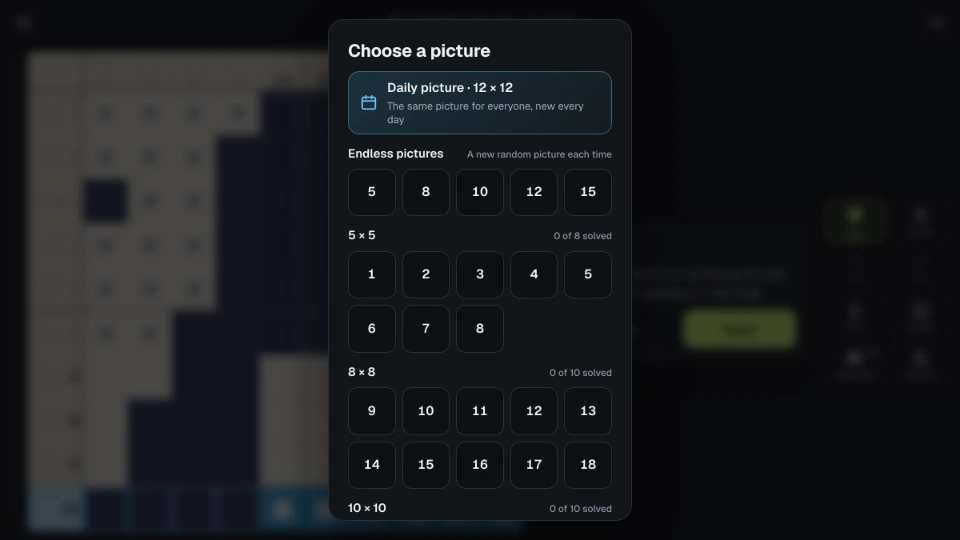
There are dozens of pictures in five sizes: 5×5, 8×8, 10×10, 12×12 and 15×15. Inside each size they run from gentler to trickier, so the first pictures of a size are a good warm-up for the later ones. The pictures have no titles. You see a level number and a size, and the picture is a surprise until you finish it.
There is also a daily picture. Everyone gets the same one on the same day (the day changes at midnight UTC), and its size follows the weekday: 8×8 on Monday, 10×10 on Sunday, Tuesday and Thursday, 12×12 on Wednesday and Friday, and 15×15 on Saturday. Finish it on consecutive days to build a streak.
How to play
Tap a square to fill it. Tap again to clear it. Choose Cross to mark squares you know are empty, or press and hold a square on a touch screen to use the other tool for that one square. Crosses are only your notes: you can solve a picture with or without them.
Drag along a row or column to paint many squares at once. The first square you touch decides what the drag does, so with Fill chosen, starting on an empty square fills and starting on a filled one clears. The drag stays in the row or column you began in, and one drag is one step for Undo and Redo.
A numbered clue turns grey when its row or column already shows exactly those runs. It is a quiet way to see what is finished, and it does not say whether the squares are in the right place.
Big pictures may be too large for a comfortable square size on a phone. Then you move the picture with two fingers, pinch to zoom, or use the Zoom button, and the clues stay in view as you go. Dragging a line to the edge of the window scrolls the picture along with it.
On a computer, click to use the chosen tool and right-click for the other one. Hold Ctrl and scroll to zoom. The keyboard works as well: arrow keys move the cursor (Shift moves five squares), Z fills and X crosses, and if you hold the key while you move, it paints a line. Backspace clears, U undoes, Y redoes, H gives a hint, C checks, L fills a line, T switches tool and plus and minus zoom.
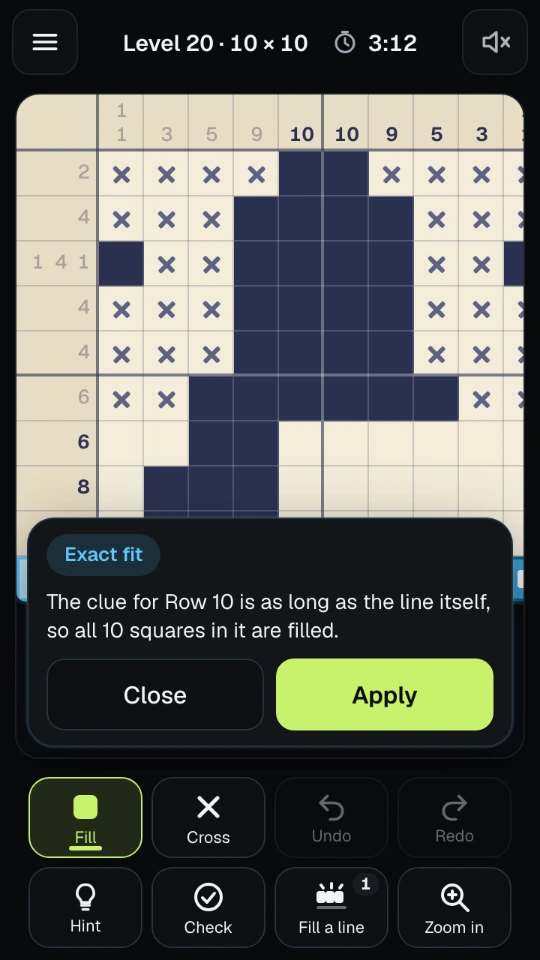
Hint picks a row or column that can be worked out right now, lights it up and says why, in words: the clue and its gaps leave so little room that part of a run is certain, or the line is already complete so the rest is empty. Apply puts the squares in. The Check button only tells you whether any mark is wrong, not where. If you would rather see mistakes as you make them, Settings has a live check that hatches wrong marks. It is off by default, because finding them is part of the puzzle.
Fill a line completes one row or column for you. Each picture includes one line you can fill for free. After that, the game offers relaxed play in Settings, which lets you fill as many lines as you like.
The clock starts with your first mark and stops when you leave the page or open a menu. Your marks are saved as you play, so you can close the page and carry on. A finished picture shows your time and, if it is your fastest for that size, a new best. A picture solved with a hint or a filled line still counts as solved, but it does not set a best time.
Tips
- Begin with the big clues. In a 10-wide row, a clue of 8 has only two squares of slack, so six of its squares are filled whatever happens.
- Look for lines that are completely determined: a clue of 0, a clue that equals the width, or clues whose runs and gaps add up to exactly the width.
- When a line is complete, cross out the rest of it. The crosses make the neighbouring lines easier to read.
- Work the rows and then the columns, and go back and forth. Each fill in one direction gives a clue in the other.
- If you are stuck, ask for a hint and read the explanation before you apply it. The same pattern turns up again a few pictures later.
- Do not try to guess what the picture shows. The numbers are enough, and the surprise is better at the end.
Questions people ask
Do I have to guess? No. Every picture can be solved with logic alone. If you feel stuck, there is a hint for that line, and it explains itself.
Is a nonogram the same as a hanjie? Yes. The puzzle goes by several names, and the idea is the same: clues for each row and column describe a picture.
Why do the pictures have no names? So that the picture does not give itself away. You find out what it shows when you finish it.
Are the pictures the same for everyone? The pictures in the list are, in the same order. The daily picture is the same for everyone on the same UTC day, and a new one comes each day.
What does Check do? It says whether there is a wrong mark on the board, and nothing more. Using it does not stop a best time from counting, and neither does the live check in Settings.
Do I need an account? No. Your statistics, settings and pictures in progress are saved on your device.
Can I play offline? Once the game has loaded, it needs no network.
Screenshots