Echo Sweep
Logic puzzle with no guessing, a hint that explains and a daily board.
About this game
- Players
- 1
- Levels
- 4
- Controls
- Touch, Mouse, Keyboard
- Daily challenge
- Yes
- Languages
- 20
What it is
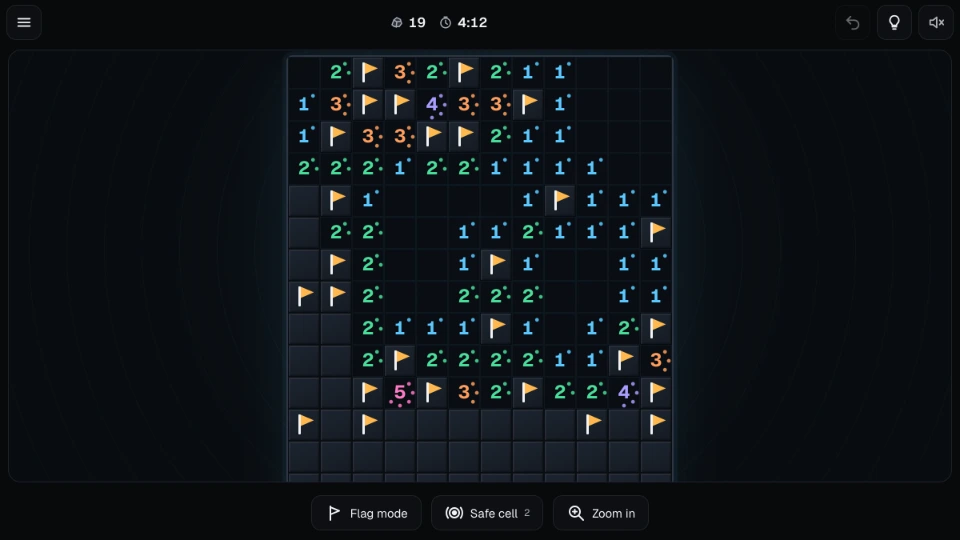
Echo Sweep is a minesweeper-style logic puzzle. A grid of covered cells hides some rocks. You uncover every cell that is not a rock. When you open a cell it shows a number, and that number is how many of the eight cells around it are rocks. You use the numbers to work out where the rocks are, and you flag them so you do not open one by mistake. Open a rock and the board is over.
Every board can be solved by logic. No guessing needed. Your first cell is safe and opens an area to start from, so you do not begin with a coin flip.
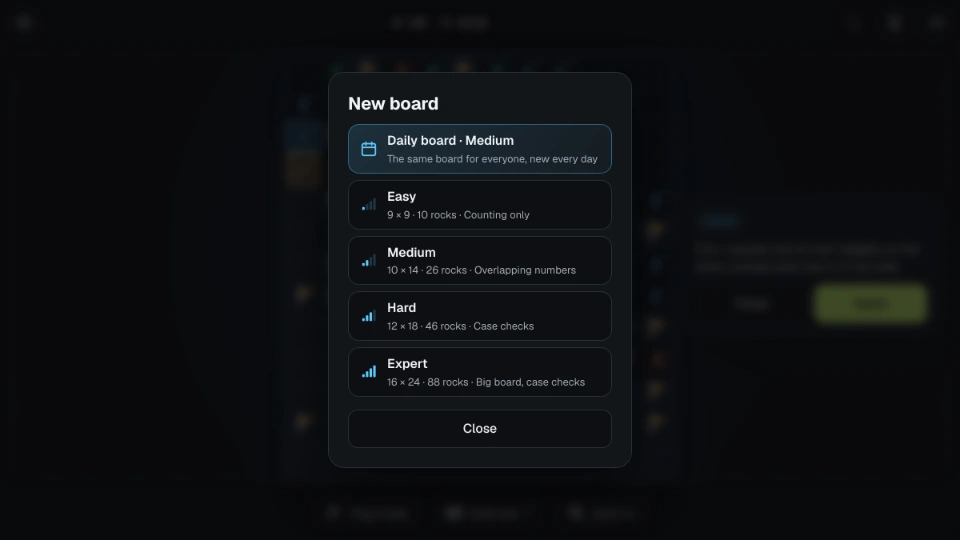
There are four levels, and they differ in more than size. Easy is a 9×9 board with 10 rocks and needs only counting: one number that touches exactly as many covered cells as it has rocks. Medium is 10×14 with 26 rocks and includes at least one step where two neighbouring numbers have to be compared. Hard is 12×18 with 46 rocks and includes a step where you have to try the possible arrangements and see what they all have in common. Expert is 16×24 with 88 rocks and needs that kind of step at least twice. A new board is made on the spot, usually in a fraction of a second.
There is also a daily board. Everyone gets the same one on the same day (the day changes at midnight UTC) and its level changes through the week: Monday is Easy, Saturday is Expert. It starts with an area already open. Solve it on consecutive days to build a streak.
How to play
On a phone, tap a cell to uncover it. Hold a covered cell to flag it, or switch on Flag mode with the flag button and tap to place flags. When a number has as many flags around it as it shows, tap that number and the rest of its neighbours open at once. This is called chording, and you can turn it off in Settings. You can take back the last flags with Undo.
A big board may not fit your screen at a comfortable size. Then you drag with one finger to move around and pinch to zoom, and the zoom button steps through sizes. If the board fits, it stays put and does not take over your swipes.
On a computer, click to uncover and right-click to flag. Clicking a satisfied number (or middle-clicking it) chords. The keyboard works too: arrow keys move, Shift moves five cells, Space uncovers, F flags, Enter chords, Z undoes a flag, H gives a hint, S uncovers a safe cell, M switches Flag mode and plus and minus zoom.
Numbers carry a small ring of dots as well as a colour, one dot for a 1 up to a full ring for an 8, so you can tell them apart without relying on colour. You can switch the dots off in Settings.
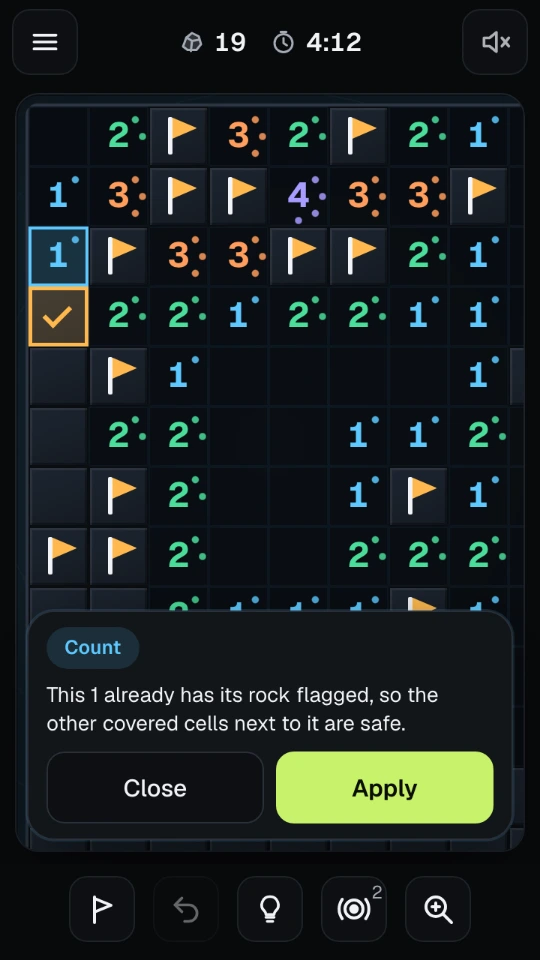
Hint lights up the numbers and cells that force a move and, when you ask, explains why in plain words: this number touches exactly as many covered cells as it needs, or this one must be a rock because of the two numbers beside it. If a flag you placed is wrong, the hint points at that first. Apply carries the step out with one tap.
You can undo flags but not an uncovered cell. Uncovering is the move that counts, and taking it back would make the board a guessing game. If you do hit a rock, you can try the same board again from the start.
The timer pauses when you open a menu or leave the page. The game saves as you play, so you can close the page and come back to the same board. A finished board shows your time and your best time for that level. Best times do not count a board where you used a hint or a safe cell, or one you restarted or tried again, because by then you know where the rocks are.
Tips
- Start with the numbers next to the open area. A 1 with only one covered neighbour left has told you where a rock is.
- When two numbers share cells, compare them. If a 1 and a 2 touch the same covered cells except for one extra cell, that extra cell is the second rock.
- Flag as you go. Flags make chording possible and make the next deduction easier to see.
- When you are stuck, ask for a hint and then for the explanation instead of applying it straight away. The same pattern will come back on the next board.
- A rock count that says "rocks left" is only a guide. Do not use it to guess, because the boards are built so that you should not need to.
Questions people ask
Do I have to guess? No. Every board can be solved by logic. The first cell you uncover is safe.
Is it like the classic puzzle with hidden mines? The idea is similar, but the boards, look and controls are our own. The main differences are the no-guess boards, the hint that explains and the way touch is handled.
How is a hard board harder? By the reasoning it needs. A hard board is not just bigger or fuller. It contains steps that cannot be found by counting alone.
What are safe cells? Safe cell uncovers one cell that is certainly not a rock. Each board has two free ones. After those, the game tells you that none are left on that board. Hint costs nothing.
Do I need an account? No. Your stats, settings and the board in progress are saved on your device.
Can I play offline? The game needs no network once it has loaded.
How does the daily streak work? Finish the daily board on a day to count it. Finish it the next day too and the streak grows. Miss a day and it starts again.
Screenshots